I Killed Sarevok and the Game Ended. Then I Fixed It in 90 Minutes.
A heavily modded Baldur’s Gate save, a broken end-of-game transition, and a step-by-step recovery using AI, WeiDU, and a lot of file inspection.
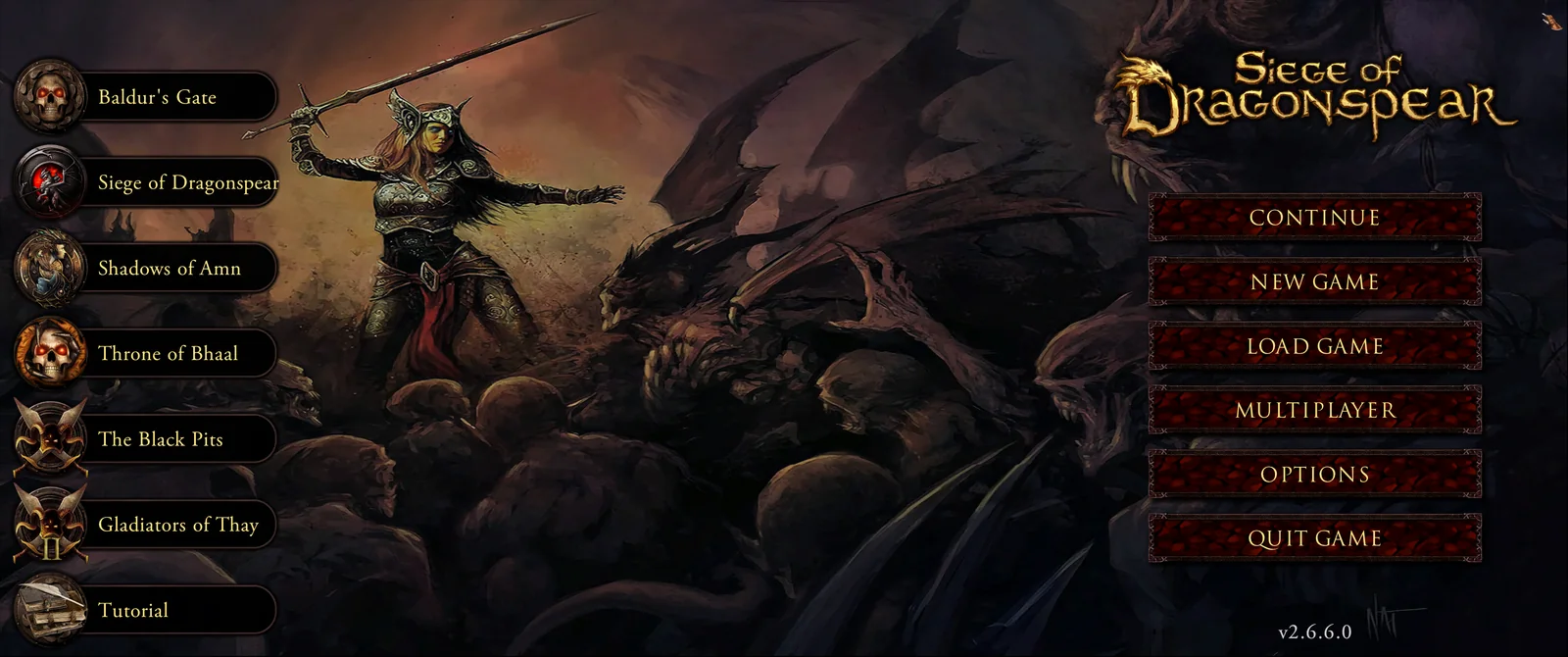
I have been playing Baldur’s Gate since 1998. I am currently around 100 hours into a heavily modded BG: Enhanced Edition Trilogy playthrough — the kind of install with 289 mod components, an upgraded UI, modern graphics, and a custom party I am attached to. Tonight, my protagonist finally killed Sarevok in the Undercity Temple. The Bhaalspawn cinematic played. Then the game went to the credits and dropped me back at the main menu.
In a normal Enhanced Edition Trilogy install, that is not supposed to happen. The whole point of EET is that the three games (Baldur’s Gate, Siege of Dragonspear, Baldur’s Gate II) play as one continuous saga. Sarevok dies, the cinematic plays, and you wake up in Korlasz’s Tomb at the start of Siege of Dragonspear — same party, same character, no menu screen, no “start a new game.” That unbroken hand-off is the entire reason EET exists.
I did not get the hand-off. I got the original BG1 endgame credits and a campaign selector. My 100-hour save was effectively orphaned at the doorstep of the next act.
Here is the full story of finding the cause, going down two wrong paths, and finally fixing it directly — and what I learned about AI-assisted game troubleshooting along the way.
What was supposed to happen
For anyone unfamiliar with EET, it is a mega-mod that lets you play the entire Baldur’s Gate saga as one continuous campaign. The author k4thos (and several collaborators) reverse-engineered the chapter-transition logic in BG2EE so that BG1 content can plug in at the front, SoD content can plug in between BG1 and BG2, and the player experiences it as one twenty-year-old game that runs end to end without ever returning to a main menu.
The way EET handles the Sarevok-to-SoD transition specifically: when Sarevok dies in the Undercity Temple, an area script detects his death and calls a transition cutscene (internally named BDSODTRN). That cutscene plays the canonical Sarevok-death scene, then fires a function called MoveToCampaign("SoD"). That function tells the game engine to swap its active campaign data from BG1 to SoD, load the SoD opening area (Korlasz’s Tomb), and resume control with your party intact.
If any link in that chain breaks, the game falls back to its default end-of-game behavior — roll credits, return to main menu. That is exactly what I saw.
First instinct: blame the most recent change
Tonight was the first time I had played this install since adding a set of quality-of-life mods a couple of weeks ago. New UI, new spell menu, an engine extender, a graphical overhaul. None of them in any forum post I had ever seen was associated with breaking the EET transition, but they were the most recent changes to my install, and when something breaks, the most recent change is the first suspect.
This is where I started using AI as a diagnostic partner. I described the symptoms and what I had recently changed. The AI’s first move was to check whether any of the new QoL mods had touched the script files that handle the Sarevok death trigger. It compared file hashes between my current playable install, my pre-QoL backup, and the QoL staging folder.
Result: the weapon proficiency data file was byte-identical across all three. None of my recent QoL mods had touched the proficiency system. The same was true for the Undercity Temple area script. The QoL stack was innocent.
This was useful negative information. It also meant the problem was older than I had realized — it had been latent in my install since before the QoL work, just waiting until I reached the end of BG1 to manifest.
The state of the install
The next thing the AI did was something I would not have thought to do on my own: it walked through my entire folder structure and compared what was actually on disk against what I thought was there.
Some interesting findings:
- The “playable” folder I had been launching the game from was actually the old QoL staging folder. The “official” playable folder we had set up two weeks ago had been deleted or never properly used.
- A new folder called
BASE EET MODShad appeared with a creation date the day after my QoL session. - My desktop shortcut pointed at the right place, even if the underlying organization had drifted.
The drift did not matter for the bug — the game was launching from the correct folder, the mods were active, the save was loading. But it did matter for diagnosis. The AI was about to start looking at scripts in the WRONG folder until I caught the misdirection and pointed it at the actual playable install. If I had been doing this solo, I might have spent twenty minutes “fixing” files in a folder that the game was not even reading.
Lesson there: when you have multiple copies of a modded game on disk, double-check which copy is actually live before you touch anything.
The first wrong diagnosis
Once we were looking at the right folder, the AI scanned the override directory for the script files that handle Sarevok’s death. EET prefixes BG1 area scripts with BG, so the Undercity Temple script that I knew as AR0125.BCS in vanilla BG1 should appear as BG0125.BCS in an EET install.
It was there. 18,294 bytes. Reasonable size for a populated script.
The AI decompiled it from binary to readable form. We searched for the death trigger block — the chunk of script that fires when Sarevok dies. We found it. Here is what it looked like:
IF
  Dead("Sarevok")
  Global("EndOfBG1","GLOBAL",0)
THEN
  RESPONSE #100
    ClearAllActions()
    StartCutSceneMode()
    SetGlobal("EndOfBG1","GLOBAL",2)
    Wait(4)
    FadeToColor([30.0],0)
    Wait(2)
    StartMovie("ENDMOVIE")
    FadeToColor([1.0],0)
    Wait(1)
    StartMovie("BGENDCRD")
    FadeToColor([1.0],0)
    EndCutSceneMode()
    GoToStartScreen()
END
That is the bug, in plain text.
The block is doing the original Baldur’s Gate 1 endgame: play the Sarevok cinematic, play the BG1 credits, fade to black, and return to the start screen. There is no call to BDSODTRN. There is no call to MoveToCampaign. EET’s transition logic is not there at all. Some mod, somewhere in the install history, had patched this script and replaced the EET transition trigger with the original BG1 endgame credits sequence.
I confidently accused a mod called BGEEClassicMovies of being the culprit. The mod’s name said it all — it “restores BG1 movies to BG:EE.” If a mod is replacing modern movies with classic BG1 movies, it stood to reason that it might also patch the scripts that call those movies, and in doing so revert them to BG1-style endings.
This was a clean theory. It was wrong.
I want to be specific about this part because it matters for how to use AI productively. The AI suggested this theory based on the mod’s name and the symptom. I agreed. We both anchored on it. We did not actually verify the claim until later — we went straight to fixing the symptom because the symptom was the bug.
That turned out to be the right move for the fix. It was the wrong move for the explanation. More on this later.
The console rabbit hole (skip this if you have already lived it)
Before patching the BCS, I tried what seemed like a simpler fix: use the in-game console to manually trigger the SoD transition, bypassing the broken trigger entirely.
The AI gave me a command to type. The console returned a Lua nil-value error.
The AI gave me a different syntax. Same error.
I tried prefixed forms, namespaced forms, different bracket styles. Each attempt was thirty seconds for me, two minutes round-trip through the console, screenshot back to the AI, parse the error, try a new syntax. After ten minutes of this, we still did not have a command that worked.
What we eventually figured out: the input field I was typing into was not the BG2EE native console. It was the EEex Quick Menu’s Lua scratchpad — a different interface added by the engine extender mod. EEex provides its own Lua API which does not include the older CLUAConsole object that my AI’s training data referenced. We were guessing at syntax for a console that was no longer the console in the version I was running.
I wasted twenty minutes on console syntax before the AI stepped back and proposed a different approach: forget the console, patch the file directly. The file fix is deterministic. Either the binary script is valid and the engine reads it, or it is not.
This was the right call and we should have made it ten minutes earlier. The lesson: when an AI starts guessing at version-specific API syntax, the cost-per-attempt is too high. File-level fixes are slower to set up but they either work or they do not.
The actual fix
Once we committed to the file-patching approach, the work was straightforward and felt deterministic in a way the console approach never did.
The steps:
-
Back up the original. Copy the current
BG0125.bcsto a backup folder with a timestamped name. This is reversible if anything goes wrong. -
Decompile the binary to text. WeiDU (the script engine all Infinity Engine mods use) can convert a compiled BCS file back to readable BAF source. One command, takes about a second.
-
Find the broken block. The AI located the exact block we identified earlier — the one that calls
BGENDCRDandGoToStartScreen. -
Write the correct block. The EET-canonical version replaces the broken endgame chain with a single call to
BDSODTRN. The transition cutscene handles everything from there — playing the Sarevok-death scene AND callingMoveToCampaign("SoD")at the right moment.
The replacement block looked like this:
IF
  Dead("Sarevok")
  Global("EndOfBG1","GLOBAL",0)
THEN
  RESPONSE #100
    SetGlobal("EndOfBG1","GLOBAL",2)
    SmallWait(1)
    ClearAllActions()
    StartCutSceneMode()
    StartCutSceneEx("BDSODTRN",TRUE)
END-
Patch the source file. Find-and-replace, exact text match, preserving line endings (CRLF, because Windows). The patched BAF was 9,217 bytes, the original was 9,381 bytes — the difference reflects the lines of broken endgame logic we removed.
-
Recompile to binary. WeiDU takes the patched BAF and produces a new BCS file. The new file was 17,327 bytes versus the original’s 18,294 bytes.
-
Verify. Decompile the newly-compiled BCS file and confirm
BDSODTRNis present in the death trigger block. ConfirmBGENDCRDis not. Sanity check. -
Deploy. Copy the patched BCS to the game’s override folder, replacing the broken version.
Total time to do all of this: about ten minutes once we committed to the approach. Most of that was figuring out WeiDU’s command-line options, since I had not used WeiDU directly before — I had only ever run it through Project Infinity.
I quit the game completely (to clear any cached scripts), relaunched, loaded the save I had made right before fighting Sarevok, and fought him again.
The cutscene played. The screen faded. The party woke up in Korlasz’s Tomb. The SoD intro began.
It worked.
Was BGEEClassicMovies actually the culprit?
After the fix worked, I went back to check whether my accusation of BGEEClassicMovies had been correct. I read through the mod’s tp2 file (the install script) carefully.
It was not the culprit. The mod has multiple components, but every single one of them touches only movie files (.wbm containers), chapter title screens (.mos images), and one config file (baldur.lua for intro length values). There are no BCS patches in the tp2. The mod literally cannot have written that broken block into BG0125.bcs.
I do not know what mod did. Of the 289 components installed across BGEE and BG2EE, there is no obvious smoking gun. It could have been a stacking interaction between two or three components that individually do reasonable things but combined produce broken output. It could have been something that ran as part of EET’s own install process and got mis-applied due to some version mismatch. It could have been a quirk of my specific install order — Project Infinity’s install order is famously fragile, and if Mod B patches Mod A’s patch in an unexpected way, you get exactly this kind of latent damage.
Here is the honest part: I do not need to know what broke it to have fixed it. The fix targeted the symptom (broken script), not the cause (whatever mod or interaction wrote the broken script). The symptom-targeted fix worked because the symptom WAS the problem — there is no upstream state that would re-break the file. It is just a binary file in my override folder. As long as it has the right contents, the game does the right thing.
This is a meaningfully different style of fix than what I am used to in software work, where you usually want to find the root cause so the bug does not come back. In modded game files, there often is no recurring upstream — the broken file is the entire bug surface. Fix the file, you fix the problem permanently.
Checking for other damage
After the BG0125 fix worked, the obvious question was: are there other places in the install where similar damage might be lurking? If something patched the BG1-to-SoD transition incorrectly, did it also patch the SoD-to-BG2 transition, or the BG2 chapter transitions?
The AI scanned all the critical EET transition scripts:
BDSODTRN.BCS— the EET transition cutscene itself. Clean.BD0103.BCS— Korlasz Tomb starting area. Clean. Has the correctSOD_fromimportsignature that EET uses.BDFINAL.BCS— SoD finale script. Clean.BD7300.BCS— SoD ending area. Clean.BD3000.BCS— SoD chapter transitions. Clean.
Then a broader scan: how many files in the entire override folder reference the BG1 credits movie (BGENDCRD)? Out of 3,576 BCS scripts, only three contained that reference. Two of them belonged to the Dynaheir Romance Mod (which intentionally has an alternate “Dynaheir dies and the saga ends in tragedy” ending — those references are by design). The third was an unrelated BG1 area script not on the main saga path.
In other words: as far as we could tell, BG0125 was the only critical break. The fix should hold through the rest of the saga.
I should be honest that I cannot prove that with 100% certainty. There could be subtle script damage somewhere we did not check, or there could be issues that only manifest with specific party compositions or quest states. But based on a targeted scan of every transition-critical script, the install looks healthy.
What I learned about working with AI on this
A few things from this evening that I want to capture, both to remember for next time and because I think they are useful for anyone considering using AI for game troubleshooting.
First, AI is much better at narrowing problems than at diagnosing causes. The most useful thing the AI did tonight was iteratively rule things out. Is it the QoL mods? No, files match. Is it a script issue? Yes, BG0125 is broken. Is it the right script? Yes, BDSODTRN is missing from the death trigger block. Each step narrowed the problem until the fix became obvious. The AI was less good at the question “what mod caused this?” — it confidently named a mod that turned out to be uninvolved.
Second, AI training data ages quickly for niche tooling. The console syntax we burned twenty minutes on was a problem of stale knowledge. The AI knew older console syntax from older BG versions and tried to apply it to a current EEex-modified install. By the time we figured out that the input field I was typing into was a different interface entirely, we had lost time we did not need to lose. If I do this again, I will short-circuit syntax-guessing attempts much sooner.
Third, file-level fixes are more reliable than runtime fixes. When you have a broken script in a modded game, patching the file is more deterministic than trying to find an in-game workaround. You can backup, edit, verify, deploy, and revert if needed — each step is concrete. Runtime fixes (console commands, in-game tools) depend on guessing at APIs you may or may not have access to.
Fourth, do not be precious about understanding the root cause. Spending hours trying to identify which of 289 mod components broke a single file would have been intellectually satisfying but practically useless. The fix worked because we treated the broken file as the problem and patched it directly. The saga continues, my party is in Korlasz’s Tomb, the next 60+ hours of play will run on the patched script. The root cause does not matter.
Fifth, the AI gets diagnoses wrong, and that is fine. I confidently accused BGEEClassicMovies. The AI agreed and built a plausible-sounding theory. Both of us were wrong. The fix still worked because the fix was based on the observable bad state of the file, not on the theoretical explanation of how the file got that way. If I had insisted on confirming the cause before fixing the symptom, I would still be debugging at 1 AM instead of writing this article.
Where I am now
The patched BG0125.bcs is sitting in my override folder. My party — protagonist plus five companions, all level 7-8, all carrying their hard-earned BG1 loot — woke up in Korlasz’s Tomb a few hours ago. The Siege of Dragonspear intro played. The Bhaalspawn legacy continues.
If you have been a Baldur’s Gate fan for years and you have wanted to mod the game but bounced off the complexity, here is something to consider: the modding community’s tools are extremely powerful, but the work of using them well has always required either deep expertise or an enormous amount of trial-and-error patience. AI as a collaborator does not replace the modding tools — WeiDU and Project Infinity and NearInfinity are doing the actual work. What AI changes is the speed at which you can navigate problems when something inevitably breaks.
A broken EET transition five years ago would have meant weeks of forum searching, possibly an entire reinstall, possibly walking away from the saga. Tonight it meant an hour and a half of focused investigation, a thirty-line file patch, and a successful transition to SoD.
The saga continues. I will see you in the Sword Coast.
Atomm bought Baldur’s Gate in 1998 and reviewed Baldur’s Gate II for GamersRadio when it released.
Earlier in this series: Modding Baldur’s Gate in 2026: A Player’s Guide to Doing It With AI, on how the 2.5 → 2.6.6 migration that produced this install actually went.
Next in this series: The One Byte That Crashed Baldur’s Gate, on what happened when a bug further into Siege of Dragonspear refused to yield to any of this.