The "My favorite little utility" thread

Started by DocJon · 78 posts · 142,606 views · pinned

  1. #1
    I found a little program some months back that I've been meaning to bring up, but never did. With my recent format/reinstall of XP, this reminded me of what programs I used frequently, and so I'm starting this thread. I have a handful of little utilities that deserve to be here, but I'll start with just two.

    Cathy:
    http://www.mtg.sk/rva/
    (programs listed on left, scroll down 8 programs)
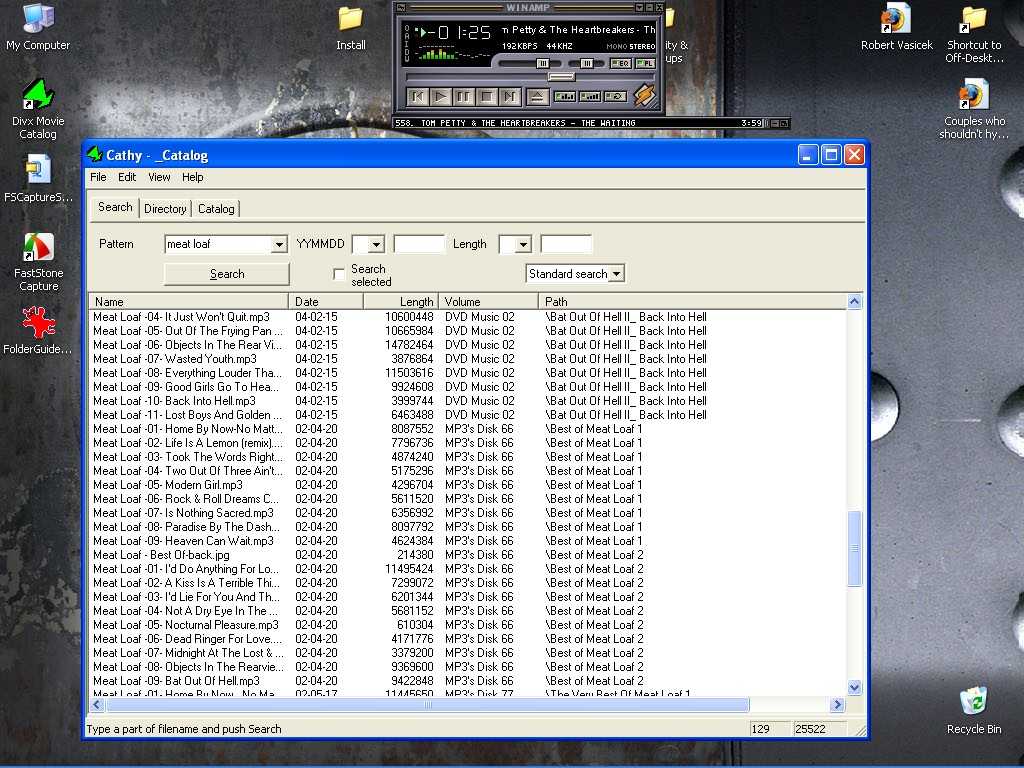
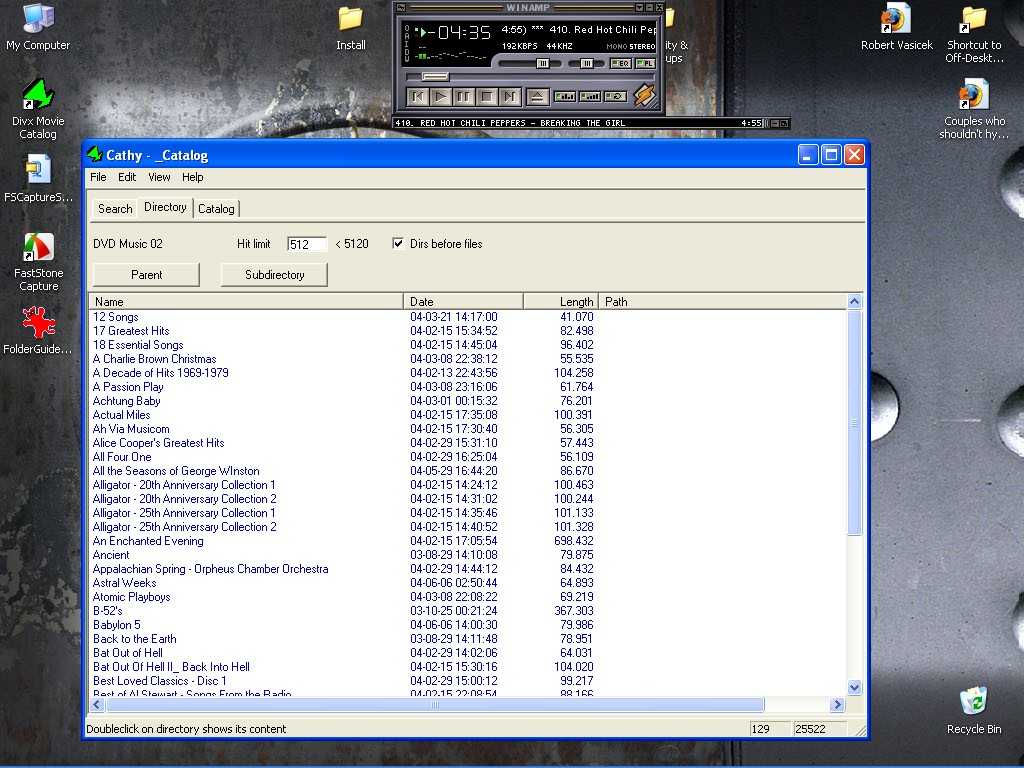
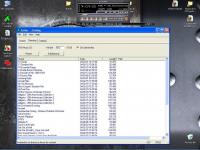
    A GREAT, small, fast catalog program. I use it for my mp3 disks, of which I have many.
    Put a disk in, it spins up, it's done. FAST for adding disks and for finding where that one MP3 is, even if you have a hundred disks of MP3's. Simple, small, and fast. Works with CD's, DVD's, ZIP and Jazz disks.
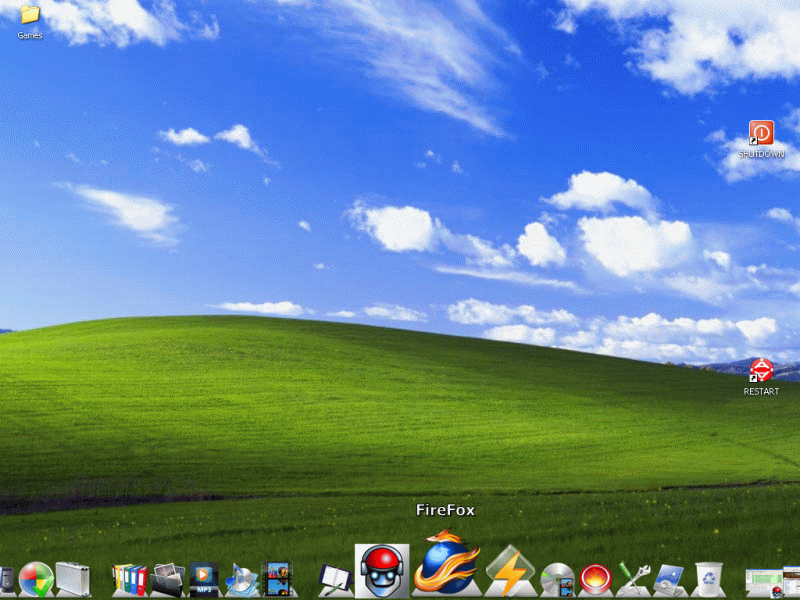
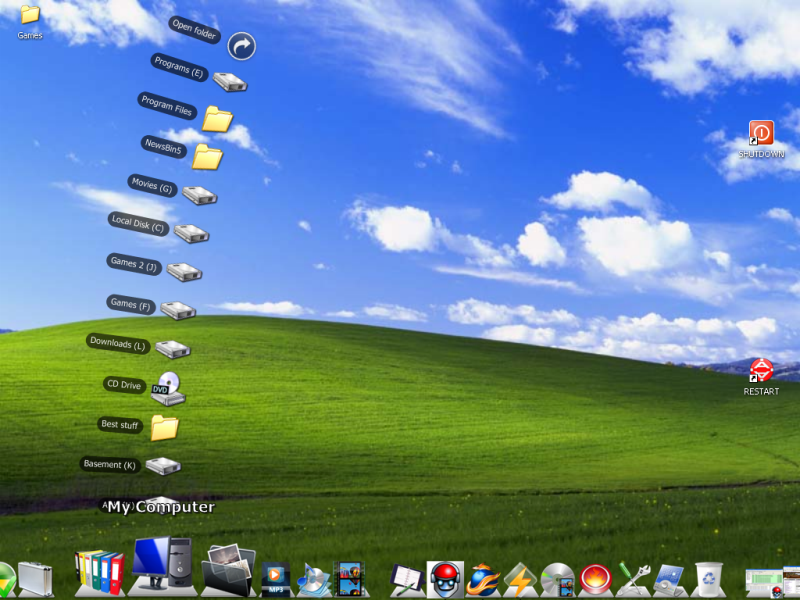
    (Excuse any blurriness, I tried to reduce the size of the pics for posting here.)
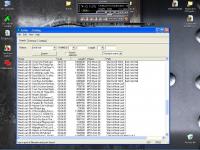
    cathy1.jpg cathy2.jpg


    Folder Guide:
    http://www.freeware365.com/desktop/folderguide.htm
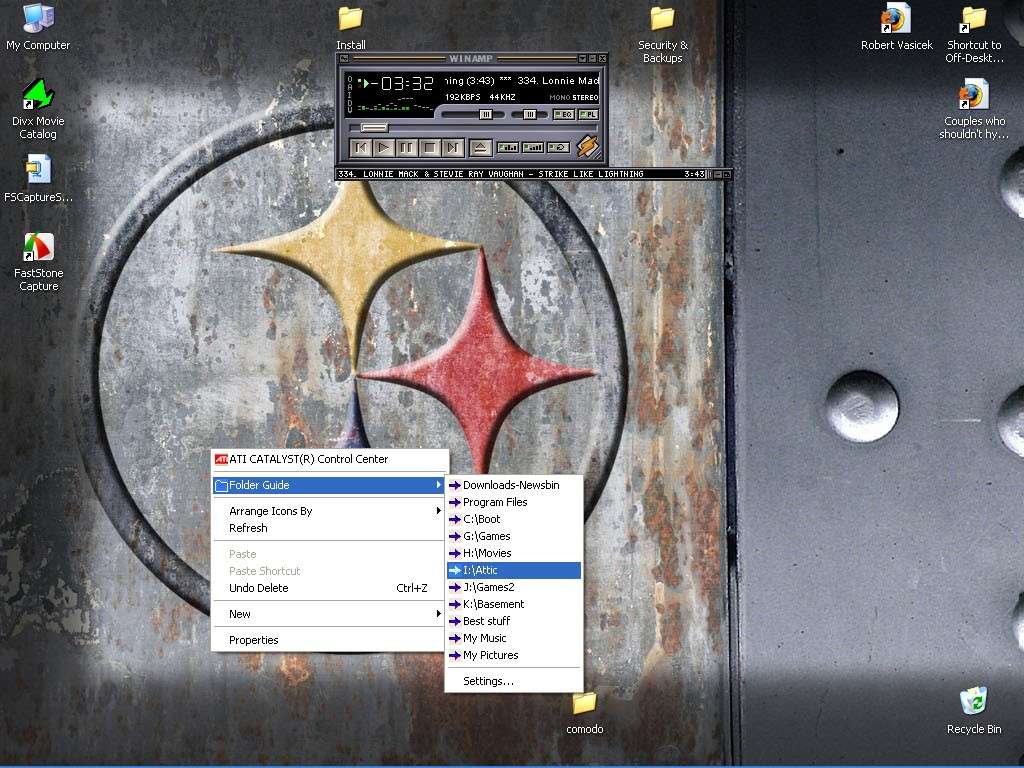
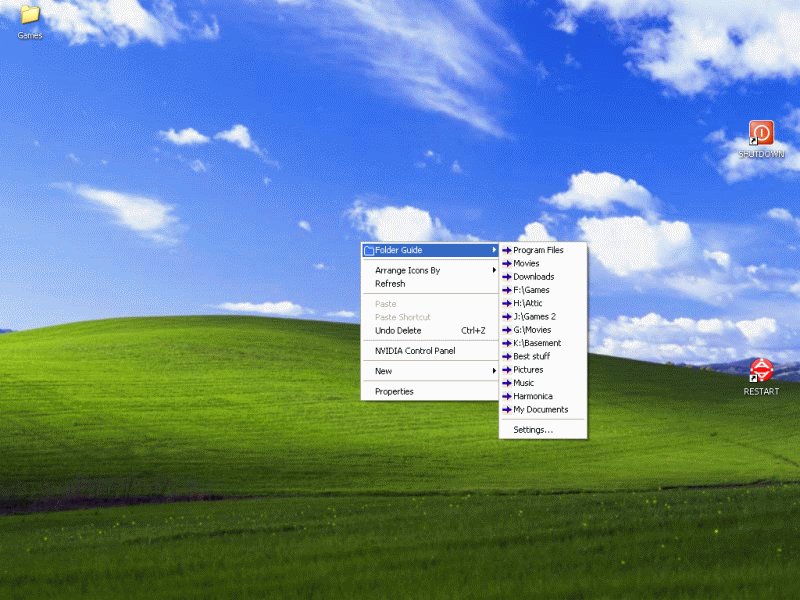
    Have your most frequently accessed directories accessible from a right-click on your desktop.
    I have 10 partitions, not counting CD/DVD drives, Daemon tools, etc. I like to keep everything in it's place, so I know where to find it when I want it. There's only about a dozen directories I frequently access, though, and with this util, I can access them quickly with a right-click.
    FolderGuide.jpg


    Oops, and, of course, WinAMP 🙂
  2. #2
    I need both of those.....

    The only thing I can think of at the moment is Roboform.

  3. #3
    DocJon wrote:
    (Excuse any blurriness, I tried to reduce the size of the pics for posting here.)


    Why not just capture just the application window? Highlight the window in question and press ALT print screen.
  4. #4
    Paladin wrote:
    Why not just capture just the application window? Highlight the window in question and press ALT print screen.

    1. Because they really aren't that blurry, I was just heading off any comments.
    2. Because they show the app in the context of the desktop, which is particularly nice in the case of Folder Guard.
    3. Because I just DL'ed and installed a new screenshot utility and I'm not all that familiar with it.
    4. Because I wanted to show off my Steeler wallpaper!
    5. ???
    6. Profit.
    🙂

    Atomm wrote:
    I need both of those.....

    The only thing I can think of at the moment is Roboform.

    Roboform is great. I use it myself.
  5. #5
    I need win amp. I forget about it though.

    Object dock

    I like this becuz I don't like to have a cluttered desktop, but I also don't want to have to dig through menus for everything on my comp.

    And it's free. This is my desktop at home with the object dock.

  6. #6
    Pretty slick, very minimalist-looking. Nice.

    I experimented with a dock for awhile. RocketDock.

    It looks great, and they added a bunch of new functions since I last used it, but I don't think I'm a "dock-person".

    Edit:
    I guess I AM a dock person. Here's more about /forums/geeks-r-us/the-my-favorite-little-utility-thread-4705/" target="_blank">Rocket Dock, with pretty pictures 🙂 .
  7. #8
    hahaha everyone wants a Mac....
  8. #9
    Bubbaspanky wrote:hahaha everyone wants a Mac....

    I want whatever does the job for me, and runs the software I want. I have no loyalty to Windows except as far as it works for me.

    KeePass, a free, open-source program that kinda sorta works like Roboform to store and enter your internet usernames & passwords.

    Edit: I've switched to Access manager, as detailed here:
    /forums/geeks-r-us/the-my-favorite-little-utility-thread-4705/" target="_blank">http://forums.gamersradionetwork.com/index...ost&p=50681
  9. #10
    Keepass is excellent. We use it at my work and have had no problems at all with it.

    I may consider using that docking app. Like Atomm, my quicklaunch bar is becoming unwieldy and that looks a lot nicer.

    Here's a few that I use. None are really open source, but free nontheless:
    AVG Anti-virus
    Comodo Personal Firewall (they also have a free antivirus that works well too, among other things)
    I use Daemon Tools for mounting ISO images.
  10. #11
    =VF=Monk wrote:
    Keepass is excellent. We use it at my work and have had no problems at all with it.

    I may consider using that docking app. Like Atomm, my quicklaunch bar is becoming unwieldy and that looks a lot nicer.

    Here's a few that I use. None are really open source, but free nontheless:
    AVG Anti-virus
    Comodo Personal Firewall (they also have a free antivirus that works well too, among other things)
    I use Daemon Tools for mounting ISO images.

    I use all of those. I switched to Comodo after months of reading good things about it, even though Sygate hadn't let me down, AFAIK. After some initial PITA setup, it seems to be working OK - it went thru this phase of asking me every time Firefox was used by another program to access the internet (check for updates/help pages) but seems to have settled down now.
  11. #12
    Bubbaspanky wrote:
    hahaha everyone wants a Mac....


    While I have nothing against Macs at all, I do not want one unless it was free 🙂
    They are way too expensive.
    I can get double the power on a PC for the same price and I can run TONS more software on the PC.
    There are also free or cheap alternatives to most built in MAC applications and are as good or better. Pacasa for the PC is better than iphoto for example.

    The MAC OS being Unix based is very cool though. I did not respect MACS at all until OS X+. It is too bad they stuck with the one button mouse for so long, that is lame. yes you can get a two button but it it not native and as nice as having the support integrated with the OS. Sun workstations use 3.

    Also the MAC did not invent the dock man, Unix had them since day 1 and even the Amiga had the option even before the MACS did although it was 3rd party 🙂.

    I also have my icons dock like on my system.

    Just my .02
  12. #13
    Mac OS has support 2 button mouse for many years I think since version 8, certainly in version 9, just most people didn't use a 2 button mouse. With the one button mouse you could "ctrl" - Click to get the same results as a right click. I don't know what you mean by 2 button mouse being not native? You plug one in and it works with 2 buttons.

    While I agree Apple Machines are far more expensive, bear in mind now a days you can dual boot an Apple machine to run Mac OS or Windows. You can't run Mac OS on anything but an Apple machine.
  13. #14
    I just discovered a better way to put your photos online with Gmail. They have Picasa2 out now. You get alot of storage room per account your using, and its pretty damn flexible.

    Nice addon for gmail. I just tossed up a sample album in a few minutes. No way I could have done this on a webpage any faster.

    http://picasaweb.google.com/lexx2me/BBath?...key=uWK9faEe4Us . . . samples from the bathroom I just built to go with my new man cave 🙂


    http://picasa.google.com/#utm_campaign=en&...wnload%20picasa
  14. #15
    Bubbaspanky wrote:
    hahaha everyone wants a Mac....


    Oh this just made me have to post in here!

    Everyone that has a mac just wants to run *nix with a pretty display!

    Other then that, nice that ObjectDock works with vista, I might have to use that again.
  15. #16
    ephil wrote:
    Everyone that has a mac just wants to run *nix with a pretty display!


    Yes Please!
  16. #17
    Bubbaspanky wrote:
    Mac OS has support 2 button mouse for many years I think since version 8, certainly in version 9, just most people didn't use a 2 button mouse. With the one button mouse you could "ctrl" - Click to get the same results as a right click. I don't know what you mean by 2 button mouse being not native? You plug one in and it works with 2 buttons.

    While I agree Apple Machines are far more expensive, bear in mind now a days you can dual boot an Apple machine to run Mac OS or Windows. You can't run Mac OS on anything but an Apple machine.


    I know that Bubba but the applications do not really use it. With a PC you have kinds of contextual menu's for various things in various applications. 2 buttons is native to the OS and applications.

    Like in this window I am typing in, if I right click it offers me options to programs/add-on's I have installed. Right click just outside where I am typing and I get all kinds of other options. What I hate about MAC's is you have to go to the very top to do anything. Makes it hard to work. I like my menus ON the actual application bar. Just a personal preference.

    With the MAC and PC you can right click on tools in adobe products etc.. so that is cool. Anyway whatever you are used to I guess 🙂
  17. #18
    Thread_hijack_live.jpg

    🤦 🤦 🤦 🤦 🤦 🤦 🤦
  18. #19
    In the new install, I've switched to Keepass from Roboform. Keepass is open-source, free, and works pretty darn good. The only minor pain in the ass so far has been that some websites name their login page window "Login", instead of, for example, "Gamers Radio Login" (hint hint 😉 ), so I have to pick from several possible logins with that name.

    One hint if you decide to try Keepass: If you make any entries, it doesn't seem to use them until you've SAVED them to disk. This one stopped me cold for awhile, as I couldn't figure out why my entries weren't working when I first starting testing it.

    Also, I've only been using it for a little while, but I'm liking Faststone Capture for my screen caps. I'm using the free version, and it's working well so far. Download the last freeware version of Faststone here. More features than the one on the website above

    Edit:
    I quit using KeePass a long time ago, and /forums/geeks-r-us/the-my-favorite-little-utility-thread-4705/" target="_blank">switched to Access Manager for my password keeping. It's more consistent in how it works. It works the same way, every time.
  19. #20
    sindy wrote:
    I need win amp. I forget about it though.

    I like this becuz I don't like to have a cluttered desktop, but I also don't want to have to dig through menus for everything on my comp.

    And it's free. This is my desktop at home with the object dock.


    Or you can get the whole suite in Object Desktop. Which contains all the modding you can hope for in WinXP. Unknown about Vista..

    I used to love it and use it quite a lot until my favorite modding site [deskmod.com] went under and promised to come back and never did... now I am stuck with DeviantART for all my uniqueness needs. And realworld/other problems came between me and the scene.

    Also there is Fontanizer if you frequent any site like DaFont for getting new fonts like Bleeding Cowboy.
  20. #21
    Thinking it over a few small bitties.

    the DAMN Info Viewer

    Its a nice small text viewer that applies appropriate formatting to all .nfo and .biz files for your random usenet/irc downloads


    and as a complement to Daemon Tools there is the formidable isoBuster. Which will capture an ISO file from just about anything.. not to mention it is itty bitty.

    *Please note Daemon Tools does have a nasty ad-ware toolbar beast that is optional during install but a true PITA to remove if you don't pay attention.


    And as an alternate to AVG there is AVAST Antivirus. Which is a very nice anti-virus program.
  21. #22
    Silent Cold wrote:

    And as an alternate to AVG there is AVAST Antivirus. Which is a very nice anti-virus program.


    I will second that, avast is very very nice.
  22. #23
    Silent Cold wrote:
    Thinking it over a few small bitties.

    the DAMN Info Viewer

    Its a nice small text viewer that applies appropriate formatting to all .nfo and .biz files for your random usenet/irc downloads
    and as a complement to Daemon Tools there is the formidable isoBuster. Which will capture an ISO file from just about anything.. not to mention it is itty bitty.

    *Please note Daemon Tools does have a nasty ad-ware toolbar beast that is optional during install but a true PITA to remove if you don't pay attention.
    And as an alternate to AVG there is AVAST Antivirus. Which is a very nice anti-virus program.


    I'll second the Damn NFO viewer. Been using it for, geez, must be a couple years now. Well over a year, anyway. Nice formatting, and it knows to launch your browser when you click on a link, unlike Notepad.

    Also use Daemon tools for my image of my BF2 disk. It was getting pretty banged up sitting in my drive ALL THE TIME - the paint was getting worn. Now I only need it for installs.

    A LOT of utilities are using Google Toolbar and the like to grab some cash. It's VERY NICE that you can opt out, but if your not careful, like you said, you could end up with something YOU DO NOT WANT. It was particularly tricky when I had to reinstall everything recently, and then again, and then again! 😱

    I used to use FOXIT PDF viewer, as it was a LOT smaller (like 10x smaller) than Adobe Acrobat. Recently, they made it so you had to try or buy their "Special Offers" to get it for free, though. I did some searching, and turned up a version just prior to this change. It's a little scary doing that kind of surfing. I was looking for sites like last freeware version, but if your not careful, you'll end up on some Russian site, and while it might be perfectly legit, there might instead be a nasty little trojan in your DL.

    http://www.oldversion.com/
    http://www.321download.com/LastFreeware/
    http://www.oldapps.com/

  23. #24
    Comodo BOClean is real-time protection from trojans, spyware, adware, keyloggers, rootkits, etc etc. Everything but viruses apparently.

    Saved my bacon a few days ago. It caught something AVG anti-virus and Norton antivirus missed. Probably wasn't a virus, but it's hard to say WHAT it was. I did a scan at Virustotal.com, and some of the ones that DID catch it listed it as a virus variant, I think.

    I've been feeling a bit EXPOSED lately, what with my recent virus woes, so I added Boclean to the mix, at least for awhile.
  24. #25
    DocJon wrote:

    I used to use FOXIT PDF viewer, as it was a LOT smaller (like 10x smaller) than Adobe Acrobat. Recently, they made it so you had to try or buy their "Special Offers" to get it for free, though. I did some searching, and turned up a version just prior to this change. It's a little scary doing that kind of surfing. I was looking for sites like last freeware version, but if your not careful, you'll end up on some Russian site, and while it might be perfectly legit, there might instead be a nasty little trojan in your DL.

    http://www.oldversion.com/
    http://www.321download.com/LastFreeware/
    http://www.oldapps.com/


    Helpful plugin for FF:
    PDF Download
    . Works with Adobe Acrobat reader I think. We use it with the full Acrobat and it works well.

    "Allows to choose if you want to view a PDF file inside the browser (as PDF or HTML), if you want to view it outside Firefox with your default or custom PDF reader, or if you want to download it!

    PDF Download solves the problems everyone has about handling PDF files with Firefox. This extension, every time you click on a link, checks if the target is a pdf file and in this case let you choose what you want to do (open pdf file inside or outside Firefox, download it to the filesystem or view it as HTML).
    PDF Download is not a PDF plugin: you still need to have installed the Adobe or the FoxIt PDF plugin if you want to open a PDF inside Firefox."
  25. #26
    DocJon wrote:
    Comodo BOClean is real-time protection from trojans, spyware, adware, keyloggers, rootkits, etc etc. Everything but viruses apparently.

    Saved my bacon a few days ago. It caught something AVG anti-virus and Norton antivirus missed. Probably wasn't a virus, but it's hard to say WHAT it was. I did a scan at Virustotal.com, and some of the ones that DID catch it listed it as a virus variant, I think.


    I've been feeling a bit EXPOSED lately, what with my recent virus woes, so I added Boclean to the mix, at least for awhile.


    You may get away with running them manually but NEVER run two Anti-Virus program at the same time especially the real time monitoring.

    You can have two Anti-spyware but two Anti-Virus programs on a computer can cause problems.
    ====

    BTW the single most important Plug-in for FireFox (IMHO) is called No Script.

    I HIGHLY recommend people to run that. It stops scripts running on a page and you can tell it to run a script, if you trust the site, for that session or always. It stops all Java, Javascript, Flash etc.. all ways that spyware infect your computer when you visit a page.
  26. #27
    Paladin wrote:
    You may get away with running them manually but NEVER run two Anti-Virus program at the same time especially the real time monitoring.

    You can have two Anti-spyware but two Anti-Virus programs on a computer can cause problems.
    ====


    I'm only running AVG. YOU ran Norton for me 😀

    I've been running NOscript for awhile now, on your recommendation.
  27. #28
    I dunno about this NoScript thing. FF has caught everything that has tried to do anything malicious and asked me if I wanted to let it run. Then again, I like to experience the web as intended. Call me a rebel.....

    IE on the other hand lets websites install Active X. Yea.....
  28. #29
    Atomm wrote:
    I dunno about this NoScript thing. FF has caught everything that has tried to do anything malicious and asked me if I wanted to let it run. Then again, I like to experience the web as intended. Call me a rebel.....

    IE on the other hand lets websites install Active X. Yea.....

    I use No Script as extra protection. I frequently go on web-surfing tangents, and after a Google search on whatever's grabbed my attention that day, I might accidently end up at a web site I might wish I hadn't clicked on(I ended up on a website or 2 in a search for an old freeware version of FoxIt that gave me some worries). For web sites I visit regularly, I have them in a trusted whitelist.

    There's an easily accessible button you can place anywhere on any toolbar in FF, and it's quite easy to make adjustments as you go. If I run across a site I can't use properly, I can temporarily allow scripts, or add them to the whitelist permanently. After a day or 2, you'll hardly notice it's there, as you'll have added most of the sites you visit frequently. I resisted this for quite awhile myself, but after recent events, I'm more interested in added precautions.
  29. #30
    Atomm wrote:
    I dunno about this NoScript thing. FF has caught everything that has tried to do anything malicious and asked me if I wanted to let it run. Then again, I like to experience the web as intended. Call me a rebel.....

    IE on the other hand lets websites install Active X. Yea.....


    I only have one question "Mr. I do not need a software firewall because I have a router but recently changed my mind so IS open minded to new things"

    What does the way the Internet was intended mean? Seriously intended from who? You have to answer that question first.

    Intended by normal people like us who just want a cool experience or Intended by people who are con artists or simply jerks who love to put malicious scripts on pages and re-direct people to false web sites phishing for information to take advantage of people.

    Atomm wake up dude, the world is full of assholes and people *W I L L* take advantage of you if they can. You lock your car don't you? So why not lock your browser??

  30. #31
    Paladin wrote:
    You lock your car don't you? So why not lock your browser??

    I never lock my truck, but you know that 😉

    I also never have the viral problems Doc seems to pickup. I think its all the off the cuff sites you visit
  31. #32
    lexx wrote:
    I never lock my truck, but you know that 😉

    I also never have the viral problems Doc seems to pickup. I think its all the off the cuff sites you visit

    I ran some questionable software from Usenet. You are never safe, but there are ways to be safer than I am 🙂

    In the past, I've got a virus from a legit, popular site that claims their posted software is 100% virus free. It took me 36 hours to convince them there was a problem and remove the file.
  32. #33
    And now for a dishonorable mention:
    http://www.wired.com/software/softwarerevi...0/winamp_review

    WinAmp celebrates it's 10th anniversary by continuing to bloat. I'm still using the last version before AOL acquired the company, which is the "jump the shark" moment for WinAmp, IMHO. When a program displays a tampon ad while you use it, it's time to stop using the program.
  33. #34
    DocJon wrote:
    And now for a dishonorable mention:
    http://www.wired.com/software/softwarerevi...0/winamp_review

    WinAmp celebrates it's 10th anniversary by continuing to bloat. I'm still using the last version before AOL acquired the company, which is the "jump the shark" moment for WinAmp, IMHO. When a program displays a tampon ad while you use it, it's time to stop using the program.


    I still use Winamp 2.x. I never seen a reason to "update" it as it works perfect.
  34. #36
    Sarge wrote:
    I use the VLC Media Player

    http://www.videolan.org/

    runs well and doesn't eat up too much memory.


    I use WinAMP as I have a few plugins I like to use with it, like DFX & Geiss. Plus, I have like 8 years of skins I DL'ed and like.

    After recently ditching BSplayer (even though I like it, I can't find a version that doesn't have a bug in it of some sort) as my movieplayer, I tried KMplayer, gomplayer, Zoomplayer, and another one I can't remember. I'm using VLC player now. It runs well, but it uses built-in codecs, and doesn't let me use FFDshow, a nifty post-processing program that helps make up for deficient captures and my several-years-old, 2nd hand monitors. I might have to start looking again. 🙁
  35. #37
    Had to use this at work today to delete nearly 1000 reg keys. The 30 day trial is fully functional. I highly recommend it if you have to do any manual registry editing.

    Registry Crawler

  36. #38
    Atomm wrote:
    Had to use this at work today to delete nearly 1000 reg keys. The 30 day trial is fully functional. I highly recommend it if you have to do any manual registry editing.

    Registry Crawler


    As you probably know I deal with registries all the time. I use a free program called Registry Search and replace usually. i will check this tool out and if it is good we will purchase it for work. nice thing about where I work, they will buy me anything I need usually.
  37. #39
    Ever wondered just how big that folder actually is? Even more, wonder why M$ doesn't show you by default? You are in luck.....

    Check out Folder Size

    http://foldersize.sourceforge.net/

    Oh and it don't work with Vista, which is a funny read considering M$ contacted the developer to get it certified for Vista.

    Vista Sucks
  38. #40
    Not really a utility, but certainly not a game, Celestia has it's first update in almost 2 years. No, not the GRB member (though if such things are available for humans, I've got a few things that need updated/revised), but the planetarium/free space simulator Celestia.

    http://www.shatters.net/celestia/index.html

    And the Celestia Motherlode webpage, that lists many plugins for Celestia:
    http://www.celestiamotherlode.net/

  39. #41
    After doing a lot of reinstalling after the rebuild, I thought I'd post some of my favs again. Some of these may be repeats, but they're worth repeating. All are free.

    Rocket Dock:
    http://rocketdock.com/
    RocketDoc1a.png RocketDoc2a.png

    (Note: I shrunk those pics, I don't run at 800x600)

    It's a dock. You can add prgs, directories, and use pics(various formats) to act as icons. The dock has settings to allow you to increase/decrease the size of how the icons appear, and it will automatically resize them all appropriately. You can, with an add-on, have it open a dir if you click on an icon, and all files/sub-dirs will fan out above it, or display in a grid(not pictured). Click on the file, and it will launch, click on the dir to open the window. I don't know how useful a dock really is. . .I sort of use it as a second taskbar on my second monitor. Everything I have in quicklaunch is also on the dock, along with some extra stuff. You can set programs to minimize to the dock instead of the taskbar as well, and they will appear as miniature pics of how they looked when you minimized them.

    Folder Guide:
    http://www.freeware365.com/desktop/folderguide.htm
    FolderGuide1b.png

    Do you have a big HD, several HD's, lots of directories? Sick of 50 shortcuts to your most-used directories cluttering your desktop? Use this. Right click on the desktop, scroll to the Folder Guide menu entry, and your most used directories are there. You have to add them, of course, but it's quick, easy, and you can name the menu entry something different then the directory name, if you want. Works flawlessly and isn't bloated crapware that eats up tons of resources. An elegant, easy-to-use solution to navigating your most frequently used dirs.


    AviDemux:
    http://avidemux.sourceforge.net/
    A movie editor that really works. I have a collection of. . .um, MOVIES. . .I've downloaded, from which I might only care about one scene. In the past, I've tried to cut them, but it required far too many steps, and frequently, the sound would drift out of sync. AviDemux is fairly easy to use, and the handful of AVI's I've tried it on were trimmed successfully without sound or video issues. May also work successfully with mpeg and wmv, but I haven't tested it. No more wasting 2x-3x the disk space necessary to save things I don't want.


    Erunt:
    http://www.larshederer.homepage.t-online.de/erunt/

    Easily and quickly backs up your registry. If you back up your registry, that's a large part of repairing your system when things go haywire.


    Revo uninstaller:
    http://www.revouninstaller.com/

    I talked about this in another thread. I haven't used it much, but again, it's not bloated crapware, and the little bit I have used it, I've liked.


    Faststone Capture:
    http://www.faststone.org/FSCaptureDetail.htm
    http://www.oldapps.com/old_version_FSCapture.php#about

    The screen cap util I use. Small, easy-to-use. It's gone commercial, but if you go to the second link, it has the last freeware version. I think the Faststone website pulled it, and is now offering a version several generations older as it's current freeware offering, as an incentive to try it, but get you to pay for their latest version, which isn't all that different from the last freeware version at the second link above.


    I'll post more if I think of them.
  40. #42
    I've been working in Photoshop a lot the past week, as Lexx and I are working on a 'logo' for the Dual Clan. I just posted on that board to tell someone about GIMP, the freeware alternative to Photoshop.

    http://www.gimp.org/

    Now, I know you guys know about GIMP, but I also found an add-on that will make Gimp work more like Photoshop.

    http://www.gimpshop.com/

    It will help you use photoshop tutorials. . .although there have been so many changes to PS over the years, I often times have difficulty using PS tutorials in PS! If you already know PS, this will let you use Gimp more easily, and if you don't, you can use it and learn PS at the same time.
  41. #43
    My favorite program.. er a firmware really
    http://www.dd-wrt.com/dd-wrtv3/index.php

    If you have a linksys router, you can flash it with this. The router is totally open source and can be flashed with 3rd party firmwares. The firmware that comes with it sux really bad.

    This new one can do friggin tons of stuff....you can even modify the wireless transmit wattage....and even overclock the frequency
  42. #44
    eviltomato wrote:My favorite program.. er a firmware really
    http://www.dd-wrt.com/dd-wrtv3/index.php

    If you have a linksys router, you can flash it with this. The router is totally open source and can be flashed with 3rd party firmwares. The firmware that comes with it sux really bad.

    This new one can do friggin tons of stuff....you can even modify the wireless transmit wattage....and even overclock the frequency


    You have to be a little careful there is at least one version of the wrt54g that can't handle this firmware. But it is much nicer than the linksys.
  43. #45
    On the new models, Linksys actually took out the chip that allows you to do this. However, because demand was so high, they made a variation that specifically has the chip that will allow you to mod the router. You'll need to look it up.
  44. #46
    I beleive in v4 or v5 of the wrt54g they reduced the ram so it doesn't run the firmware easily, (it does work sometimes though I have done it). They did release a wrt54gl ("l" standing for linux) and it is made to be upgraded to this firmware.
  45. #47
    OK, here's a request for a favorite utility.

    What do you use to rename MP3 files using their existing ID3 tags, and what do you use to write ID3 tags from the filename of the MP3? Often, my MP3's will have one or the other, but not both. Since the info is THERE, I'd like to avoid retyping it, just move it from one place to the other as needed.

    Anything that doesn't start with "i" and end with "Tunes", please.

  46. #48
    I used Media Monkey (free version) to rename a crapload of MP3s a while back. It will also do a lookup via amazon for the information if you don't have it all.
  47. #50
    😄 I think I have that at home 😀
  48. #51
    yours only does the outside of the glass, this on does the inside.
  49. #52
    Hmmm, that site isn't working. I wonder, is it down, or is it just me?

    http://downforeveryoneorjustme.com/

    Enter the questionable website in the box that has the GOOGLE text in it.
  50. #53
    I never posted it, but I switched from KeePass a long time ago and started using Access Manager.

    Keepass was fairly nice, but it identified what login/password was needed by the page name in the browser window, and very often log-in pages have a generic name like "Home", "Login" or "Index", so it would fail to fill in the blanks. Access manager requires a bit more effort to use, but it works, and works the same way every time.
    1. Open Access Manager
    2. Select the name of the website
    3. Drag the login name from Access Manager to the Login Name field in the browser
    4. Click on the Password Name field in the browser and press CTRL-V to paste the password
      (which was put in your clipboard when you dragged the Login Name).
    Roboform is a heck of a lot easier, but I'm registered at a few dozen sites, and you have to pay to use Roboform with that many login names/passwords. KeePass is easier as well, but has that fatal flaw that keeps it from working well with about 30% of sites.

  51. #54
    Increase your word power, quickly.

    http://definr.com/definr/tools/

    A nice site that QUICKLY (faster than any other link I've ever tried) returns the definition and some synonyms for whatever word you enter. I added it to my Firefox search bar. It only really saves you a few seconds compared to Googling it, then clicking on another link, but I can be impatient 🙂
  52. #55
    I have Definr set as a bookmark. I can highlight any word in firefox and click the link and it defines it.
  53. #56
    Sarge wrote:I have Definr set as a bookmark. I can highlight any word in firefox and click the link and it defines it.

    I should've read my own link further. MUCH better than the Firefox searchbar addition.

    For anyone else who wants to try this, it's the last part of this page:
    http://definr.com/definr/tools/

    I dragged the blue "Look up with Definr" bookmark to my bookmark list, and put it at the top. Now I highlight the word I want defined, and click the first bookmark. Cool!
  54. #57
    An on-line calculator to figure out how big your power supply should be in your new computer build:
    http://www.extreme.outervision.com/psucalculatorlite.jsp


    Here's a new one I found: Volumouse

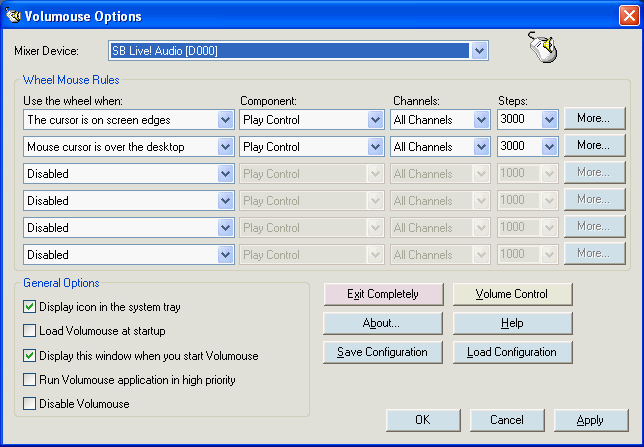
    Volumouse provides you a quick and easy way to control the sound volume on your system - simply by rolling the wheel of your wheel mouse. It allows you to define a set of rules for determining when the wheel will be used for changing the sound volume. For example: You can configure Volumouse to use your mouse wheel for volume control when the Alt key is hold down, when the left mouse button is down, when the mouse cursor is over the taskbar, and so on...
    When the conditions that you define are not satisfied, your mouse wheel will be used for the regular scrolling tasks, exactly as before.


    You can set one, or multiple conditions under which the mouse wheel changes the volume. It can be set to change the (master) Play Control volume, the wave/mp3 volume, line in, or anything else in your volume control window. It can even be set to change the screen brightness and window transparency, though I don't like doing the former, and don't recommend doing the other under XP.

    The Volumouse config window
    Volumouse.gif

    Volumouse in use: Note the vertical volume slider - that's it.
    volumouse2.gif

    I found this software when I was looking at these hacks to make a Griffin Powermate clone:
    http://forums.bit-tech.net/showthread.php?t=86820

    I didn't have any mice old enough to make this 🙁


    This gadget looks like it would be cool to install in your favorite keyboard. Finally have a nice analog volume knob.
    http://www.robotshop.ca/phidgets-usb-rotary-encoder-3.html
  55. #59
    Stop playing with your knob Paladin!
  56. #60
    Bubbaspanky wrote:Stop playing with your knob Paladin!


    Is that what the kids are calling it these days? 🙂
  57. #61
    http://www.cpuid.com/hwmonitor.php

    I installed pcalert4 that came with my MSI. Its beeping I only have 10.12v instead of twelve. Bios sez 12.07 v. So I downloaded this hwmonitor and it reports 10.12v.

    Think this caused my video card issue? Crap, powersupply is only a couple of months old bought at CircuitCity.
  58. #62
    For WinAmp users: ENHANCER
    http://www.winamp.com/plugins/details/81361

    This plug-in does many of the same things that DFX does, and some it doesn't, but is Enhancer is free.

    If you use WinAmp, and aren't already using DFX to enhance your MP3's, try using ENHANCER. It's a great little plugin that helps makes up for lossy MP3 sound, less-than-perfect speakers and headphones, poor room acoustics, etc. The only thing I don't like about it is that it doesn't "roll up" and dock on WinAmp like the equalizer and playlist does. It DOCKS, but doesn't roll up. No biggie - play with it for a day or two, then when you're happy with the sound, hide the window altogether.

    Many reviews, and the DL link:
    http://www.winamp.com/plugins/details/81361

    A nice skin for Enhancer. More professional looking, less GREEN:
    http://www.winamp.com/plugins/details/221939


    Just a reminder: I don't really endorse the newer versions of WinAmp. The older versions work just fine, and don't show tampon ads while you listen to your music. I'm currently using WinAmp v5.05. Paladin uses a version much older than that. Newer isn't always better; sometimes, newer is just bloatware.

    You can DL v5.05, or any other version you'd like, here:
    http://www.oldversion.com/Winamp.html
  59. #63
    Remember the winamp "plug in" that allowed you to run it IN BF2?
    You could see it like a winamp player but it had no body do you could see through it for the game....

    Oh yah - and it created a aimbot x-ray vision effect on the game - oopsies!

  60. #64
    Duck wrote:Remember the winamp "plug in" that allowed you to run it IN BF2?
    You could see it like a winamp player but it had no body do you could see through it for the game....

    Oh yah - and it created a aimbot x-ray vision effect on the game - oopsies!

    I managed to miss that one somehow. I should never have taken the game so seriously that I stopped listening to music. I could've pwned like the l33t dudez, instead of being a n00b without a tune to pwn to! 🙂
  61. #65
    Seagate's Disc Wizard

    This utility will let you copy an entire partition from an old hard drive to a new drive. The drives don't have to be the same size, as long as the destination drive is at least as large as the source drive. Best of all, neither of the drives have to be Seagate drives: I used it to copy my operating system and programs from a 36 GB Fujitsu Ultra320 SCSI drive to a 250 GB Western Digital Sata 3Gbs drive. It is recommended that you run Check Disk on the source drive 1st to fix any potential issues and then defrag the drive before copying it over. After running Check Disk and Defrag, the actual copy process took me under 10 minutes.

    Operating systems supported:
    Windows Vista, Windows XP / 2000, Windows 98 / ME, MacOS 10.x

    DiscWizard.exe (126MB)
    PDF Manual
  62. #66
    -=NC=-Larva wrote:Seagate's Disc Wizard

    This utility will let you copy an entire partition from an old hard drive to a new drive. The drives don't have to be the same size, as long as the destination drive is at least as large as the source drive. Best of all, neither of the drives have to be Seagate drives: I used it to copy my operating system and programs from a 36 GB Fujitsu Ultra320 SCSI drive to a 250 GB Western Digital Sata 3Gbs drive. It is recommended that you run Check Disk on the source drive 1st to fix any potential issues and then defrag the drive before copying it over. After running Check Disk and Defrag, the actual copy process took me under 10 minutes.

    Operating systems supported:
    Windows Vista, Windows XP / 2000, Windows 98 / ME, MacOS 10.x

    DiscWizard.exe (126MB)
    PDF Manual


    Why did you post the manual for a Dish network remote control? 🙂
  63. #67
    Paladin wrote:Why did you post the manual for a Dish network remote control? 🙂

    Just in case someone needed it I guess... 😳

    Thanks for letting me know. 🫡 I fixed the link. That's why multi-tasking is a bad idea - it's too easy to lose track of what the hell you're doing, including keeping track of what you last pasted to the clipboard. Sorry about that! 😀
  64. #68
    -=NC=-Larva wrote:Just in case someone needed it I guess... 😳

    Thanks for letting me know. 🫡 I fixed the link. That's why multi-tasking is a bad idea - it's too easy to lose track of what the hell you're doing, including keeping track of what you last pasted to the clipboard. Sorry about that! 😀

    To paraphrase Reagan, "Post, but verify." 🙂
  65. #69
    IcoFX, a free prg for making icons, and for converting existing gfx files to icons.

    http://icofx.ro/

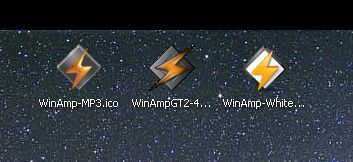
    I used it for making/converting these icons(that's a starfield behind them, on the wallpaper).
    _icons.jpg

    Next, a nifty free font viewer/organizer/installer/remover/whatsit: The Font Thing

    http://members.ozemail.com.au/~scef/tft.html

    If you work with fonts enough that you build up a collection, this will help you find the one you want, organize fonts into groups, etc.
  66. #70
    Check out this list of free apps:

    http://isbell.pbworks.com/browse/#view=ViewAllObjects

    The guy who maintains this list has collected links for hundreds of applications that can accomplish just about any task you like: graphics, photo editing, programming, office tools, etc.,

    Do yourself a favor and take a look. There's a lot to browse through. If everyone doesn't find at least one useful app they were looking for, I'd be surprised.

    My favorite so far is NotePad++ - it highlights text for SQL, PhpBB, and many other languages. It's really lighteweight and useful for programmers or site admins!
  67. #71
    I've used Notepad++ for a couple of years now as a quick text editor and it works great.
  68. #72
    Yea, I use Notepad++ as well. It handles large text files much better than notepad.

  69. #73
    http://secunia.com/

    Your looking for the PSI - Personal Software Interceptor.

    Products > Consumer > Personal Software Interceptor.

    http://secunia.com/vulnerability_scanning/personal/

    Free install - scans drive and cross references its data base to make sure ALL of your applications are up to date, latest revs, patched and secure.
    If it finds an older rev or no longer supported revision on your PC it will point you to the correct location for a patch or newer revision of the software.

    Keeps everything up to date like Windows update but for applications so hacks and such cannot be exploited on your home box.

    .02
  70. #74
    That is a cool software, thx Ducky
  71. #75
    Between Steam, Flash and Adobe Reader prompting me to update every 3 minutes, I'm not sure I could take all of my applications prompting me to update.

    Those three alone make me feel like this:

  72. #76
    Driver Magician


    Driver Magician offers a professional solution for device drivers backup, restoration, update and removal in Windows operating system. It identifies all the hardware in the system, extracts their associated drivers from the hard disk and backs them up to a location of your choice. Then when you format and reinstall/upgrade your operating system, you can restore all the “saved” drivers just as if you had the original driver diskettes in your hands.


    http://download.cnet.com/Driver-Magician-L...4-10521270.html

  73. #77
    OOOO that could save me ALOT of time.